Your website looks outdated
Visitors judge your business before they read the offer. A dated layout, weak mobile version, slow first impression, or messy homepage makes the company look behind.
Paste your URL. Get a modern redesign in seconds.
Redesign your existing website with AI. Paste your URL and Revamp turns an outdated site into a modern, SEO-friendly, responsive preview with no code, no agency, and no blank template.
Works on any website with a public URL
A website overhaul should not cost a fortune, take months, or force you to rebuild from scratch. Revamp starts with the site you already have and shows the upgrade first.
Visitors judge your business before they read the offer. A dated layout, weak mobile version, slow first impression, or messy homepage makes the company look behind.
Traditional website redesign services can run $5,000-$50,000 and take 3-6 months. Revamp gives you the visual direction first, before you commit budget.
Old themes, missing developers, locked CMS accounts, and fragile plugins make every change painful. Paste the public URL and get a fresh redesign without backend access.
Go from existing URL to a browser-ready redesign preview in three direct steps: paste, generate, customize.
Step 1
Enter the existing website address. Revamp uses the live page as the source, including visible content, navigation, screenshots, layout cues, images, and conversion sections.
Step 2
Revamp transforms the outdated page into a modern responsive website preview with cleaner typography, stronger hierarchy, better spacing, and clearer calls to action.
Step 3
Open the redesign in Revamp, describe changes in your language, share the live preview, and export whenever you want.
Most website redesigns lose rankings because teams remove content, flatten headings, change URLs, or launch without a migration plan. Revamp keeps SEO context visible while you modernize the design.
Your keyword-rich copy, offers, navigation, trust signals, and page intent stay part of the redesign instead of being replaced by generic template filler.
Revamp turns cluttered pages into clearer sections with stronger H1/H2 structure, scannable blocks, and calls to action searchers and crawlers can understand.
A redesign that only works on desktop is not enough. Revamp gives you a responsive preview so the new version can be judged on real screens before launch.
Before publishing, keep important URLs stable, preserve metadata, redirect changed pages, and use the exported code as a cleaner implementation starting point.
Prompt-only builders guess. Revamp starts from the live website URL, so the AI has the current content, structure, visuals, and business context before it creates the new version.
Revamp starts from the words already on the page, including headlines, service descriptions, benefits, pricing cues, testimonials, and calls to action.
The redesign keeps the original site purpose in view, so a local service page, SaaS homepage, ecommerce catalog, or portfolio does not become a generic layout.
The current look still matters. Revamp uses the existing visual state as context so the redesign fixes what is outdated instead of ignoring the original site.
Logos, photography, colors, trust markers, and visual assets help the AI preserve brand recognition while modernizing the presentation.
The redesign is only useful if you can act on it. Revamp gives you AI editing, live previews, share links, and code export so the project can move beyond a pretty screenshot.
AI editing
Ask for a bolder hero, different colors, stronger copy, more premium spacing, or a sharper CTA. Keep improving the redesign without touching code.
Live preview
Send a browser-ready redesign preview to clients, founders, or teammates so they can judge the experience before anyone starts implementation.
Code export
Paid plans include HTML, CSS, and JavaScript export, giving developers a concrete starting point instead of a static image or vague design brief.
No-code start
Business owners, marketers, freelancers, and agencies can generate the first redesign direction from a URL without a designer, developer, or agency kickoff call.
Revamp does not need a perfect brief. These redesigns started with public URLs and turned outdated, cluttered, or unconventional sites into modern responsive previews.
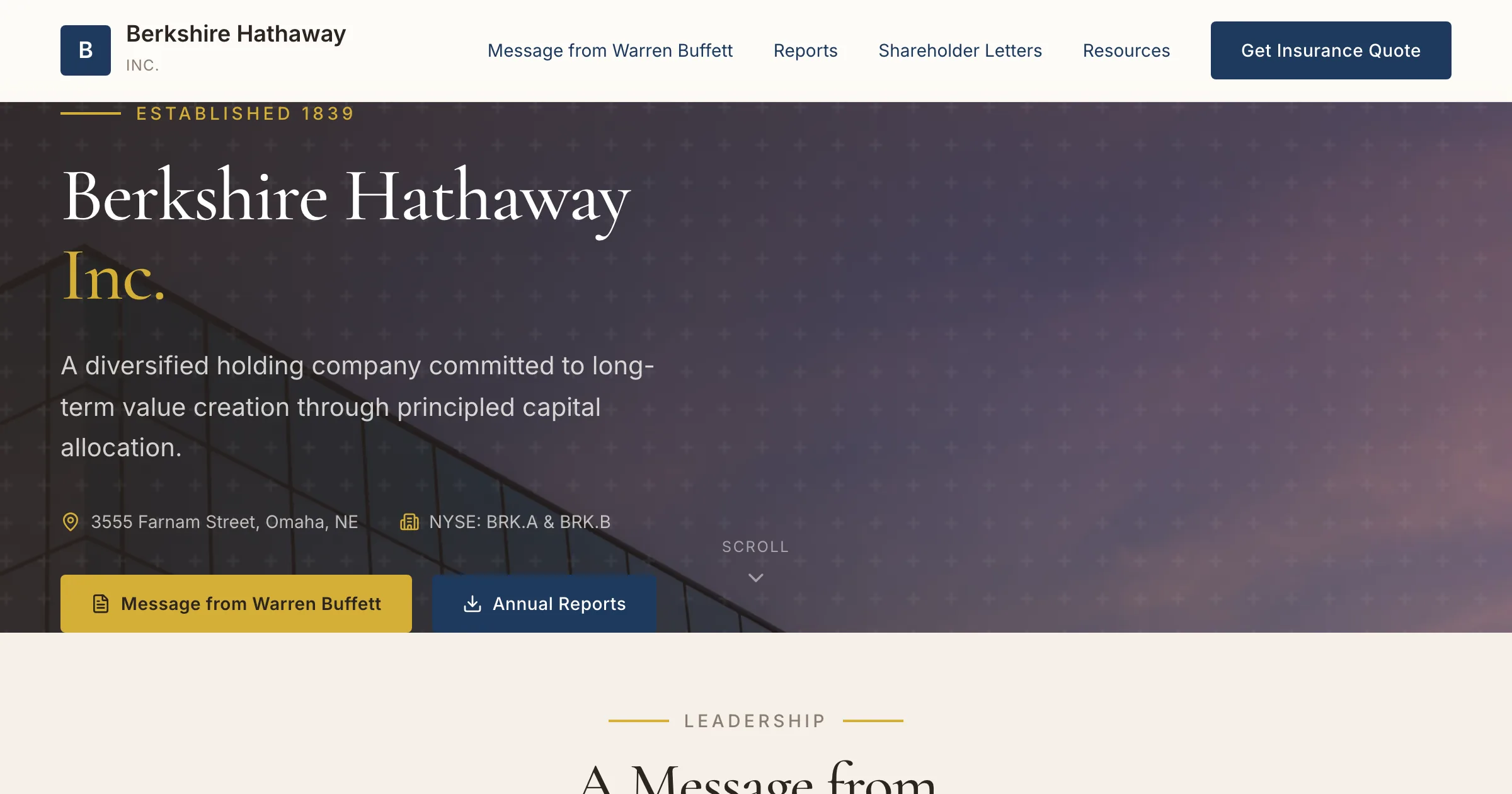
berkshirehathaway.com
Plain corporate HTML became a modern responsive business site in about 2 minutes.
View redesign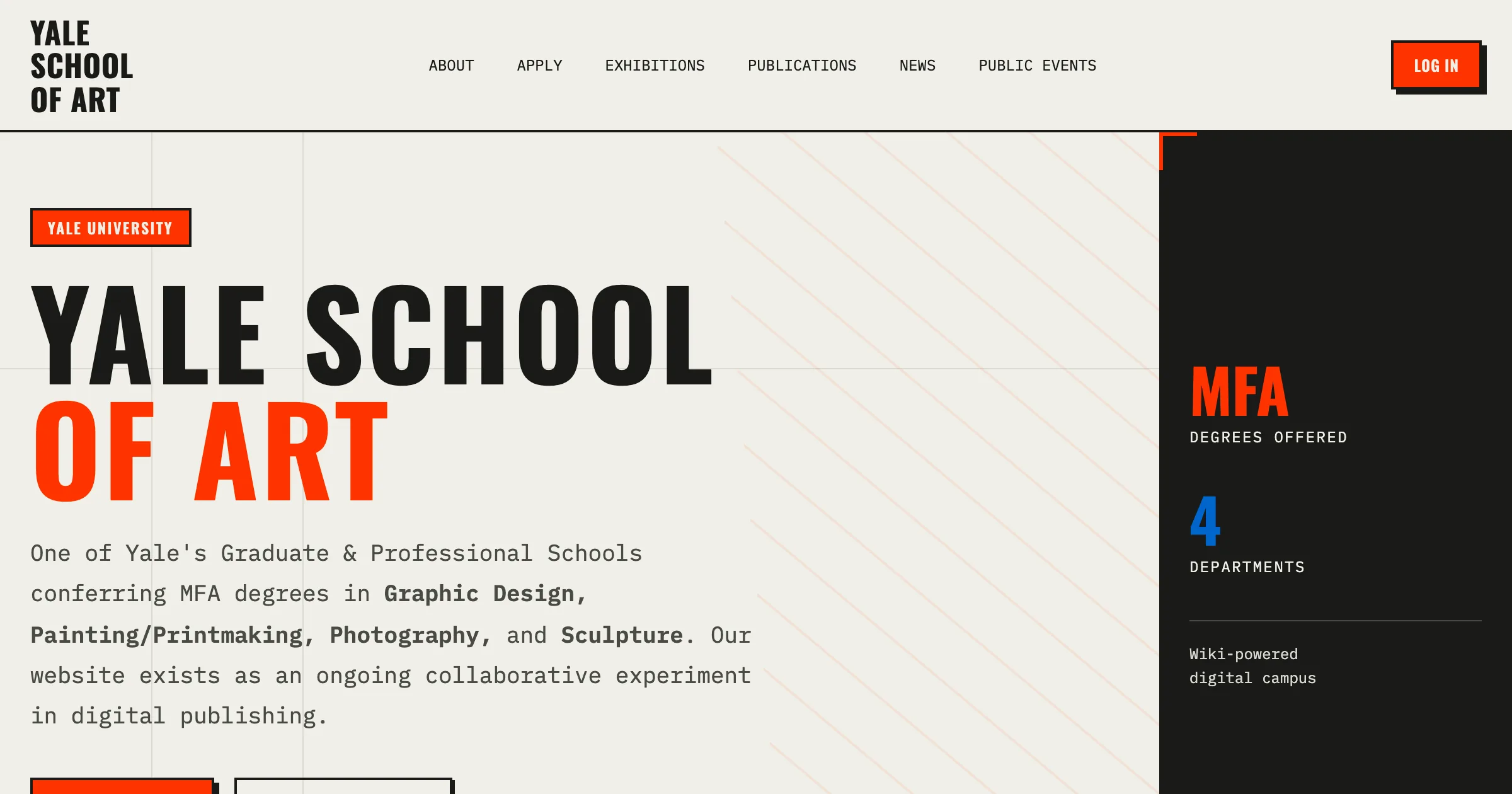
art.yale.edu
A chaotic, community-edited site became a cleaner academic experience with clearer hierarchy.
View redesign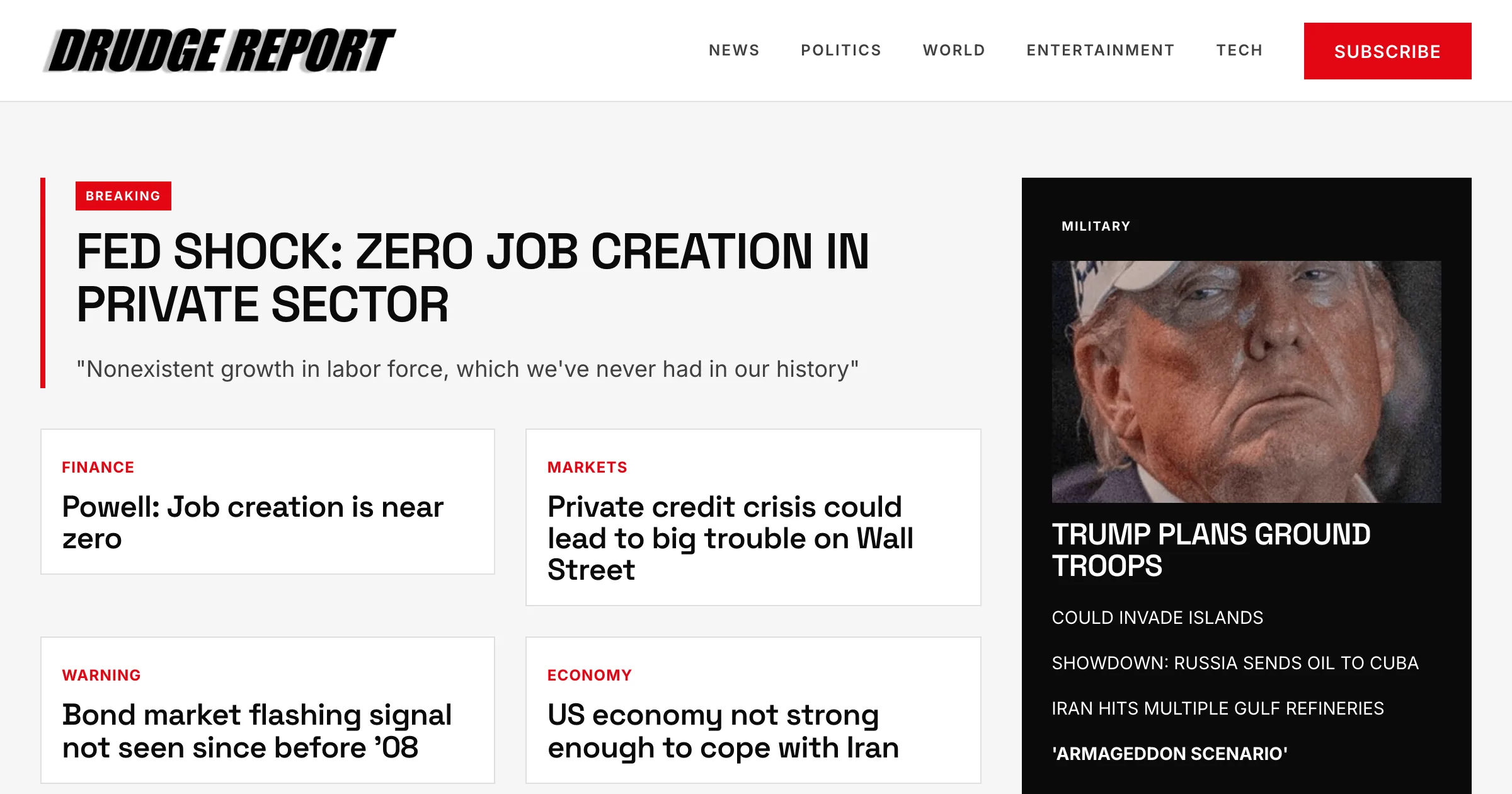
drudgereport.com
A 1997 text-only news page became a modern responsive news layout with cards and clear hierarchy in 2 minutes.
View redesignRevamp is built for businesses, marketers, agencies, and freelancers who already have a website and need a better version they can see immediately.
Turn an outdated local business site into a modern lead-generation page without enterprise redesign budgets.
Paste a prospect URL, generate a redesign preview, and show the upgrade before the sales call.
Create personalized redesign concepts faster, then export code when the client approves the direction.
Validate a new homepage, landing page, or campaign direction before starting a full redesign project.
Generate product and campaign landing pages from your existing store URL, then test variants against each other without rebuilding from scratch.
Turn a generic service page into a high-converting landing page built around a single offer, form, and call to action that captures more leads.
See the new direction before you spend thousands. AI website redesign from URL lets you validate the makeover first, then decide whether to refine, export, or hire implementation help.
Traditional agency
$5,000 - $50,000
3-6 months
Discovery calls, contracts, wireframes, project management, revision rounds, and implementation. Strong for enterprise, too slow for seeing a first direction.
Freelance developer
$2,000 - $15,000
4-12 weeks
Often useful after the redesign direction is approved, but the first concept still depends on availability, taste, and revision speed.
Revamp AI
Free to start
Minutes
Paste your URL, get a professional redesign preview, refine it with AI, share it, and upgrade when you need export or handoff.
Start freeMacaly, Shuffle, Relume, and Revamp all touch AI website design. Revamp is built around the exact job behind this search: paste an existing URL, generate a redesign preview, refine it, share it, and export code when needed.
Best for AI website redesign from URL: paste the existing site, generate a modern live preview, refine it, share it, and export code.
Good hosted builder for users who want Macaly to manage editing and publishing. Less focused on agency handoff and code export from URL-first redesign previews.
Good for comparing AI model outputs and exporting to developer stacks. More complex for buyers who simply want to paste a site URL and see a modern redesign fast.
Strong for sitemap and wireframe planning. It is not primarily a paste-a-URL website makeover tool for existing outdated websites.
Common questions about AI website redesign from URL, SEO, export, and getting started.
Yes. Revamp redesigns an existing website from its public URL. Paste the site address, generate a modern responsive preview in minutes, refine it with AI, then share or export the redesign when you are ready.
Revamp uses the public URL as source context, including visible content, navigation, screenshots, layout cues, images, and conversion sections. It then generates a redesigned version with cleaner typography, stronger hierarchy, responsive layout, and a shareable live preview.
Yes. Revamp starts from the current website instead of a blank template, so the redesign keeps the existing navigation, copy, page intent, offers, trust signals, and conversion sections in view.
Revamp is built to keep SEO-critical content, headings, page intent, and structure visible during the redesign. For a live migration, keep important URLs stable where possible, preserve metadata, redirect changed URLs, and review the final implementation before launch.
Revamp is free to start. Traditional redesign projects often cost $5,000-$50,000 and take months before you see a final direction. With Revamp, you can validate the redesign preview first and upgrade when you need export or deeper handoff.
Revamp is strongest when you start with the most important public page, such as the homepage, landing page, service page, product page, or sales page. For larger sites, redesign the highest-value pages first, then use the approved direction as the system for the rest of the site.
Yes. Paid plans include HTML, CSS, and JavaScript export so a developer, freelancer, or agency can move from preview to implementation without recreating the redesign from scratch.
No. You can paste a URL, generate the redesign, and request changes in plain English. Technical help is only needed if you want to integrate the exported code into an existing production stack.
Revamp is focused on AI website redesign from URL: paste an existing site, generate a live redesign preview, share it, refine it, and export code on paid plans. Macaly and Repaint lean toward hosted builders, Shuffle leans toward multi-model visual editing, and Relume focuses on sitemaps, wireframes, and planning.
Paste your URL and get a modern website redesign in minutes. Start free, refine the preview, and export code when you are ready.